About Anime Girls Jigsaw
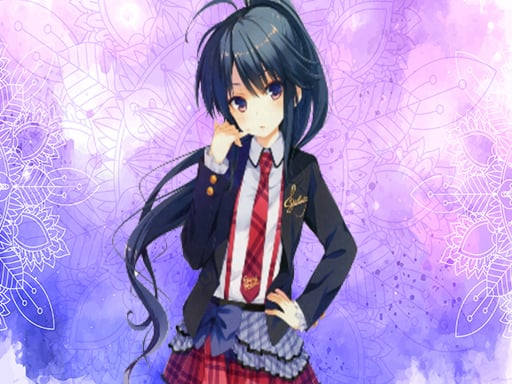
Anime Girls Jigsaw is a free puzzle game featuring 12 different illustrations of anime girls. Players assemble each jigsaw puzzle by dragging and dropping scattered pieces into their correct places. Starting with the first available picture, completing puzzles unlocks subsequent images. Each artwork offers three distinct difficulty settings with 25, 49, or 100 piece challenges.
Anime Girls Jigsaw brings traditional jigsaw puzzle mechanics to your browser with a collection of 12 colorful anime girl images. Designed for puzzle enthusiasts of various skill levels, the title allows players to tackle each image across three defined modes: Easy mode with 25 pieces, Medium mode with 49 pieces, and Hard mode with 100 pieces.
The game uses an image progression structure where players start with the first picture and unlock further images as they solve them. Using simple mouse drag-and-drop controls, players interact directly with individual puzzle pieces, moving them into position across the board to complete each illustration.
Your goal
The primary objective in Anime Girls Jigsaw is to reconstruct all 12 anime illustrations by placing every piece in its correct position. Players begin with the first jigsaw puzzle, and successfully completing an image unlocks access to the next picture in the sequence across all difficulty levels.
How to play Anime Girls Jigsaw
1. Select the first available anime image from the puzzle menu.
2. Choose your desired difficulty mode: Easy (25 pieces), Medium (49 pieces), or Hard (100 pieces).
3. Click and hold the left mouse button to pick up a puzzle piece.
4. Drag and drop the appropriate parts onto the correct locations on the image board.
5. Complete the entire picture to unlock the next jigsaw artwork in the series.
Controls and device support
Mouse Drag and Drop: Drag and drop the appropriate parts onto the image
- Controls: Mouse or touch
- Device support: Browser
- Game frame: 800 x 450
Rules to keep in mind
- You must start from the first picture and complete it to unlock the next image.
- Each of the 12 pictures offers three difficulty options: Easy (25 tracks), Medium (49 tracks), and Hard (100 tracks).
What makes the challenge interesting
Gameplay in Anime Girls Jigsaw focuses on visual observation, piece sorting, and spatial assembly. Players examine the colors, outlines, and character features on scattered fragments to determine where they fit onto the puzzle canvas. Because the game scales from 25 pieces up to 100 pieces, players can adjust the challenge based on their comfort level. Easy mode allows for quick visual sorting, while Hard mode tests patience and thorough piece placement. Mouse controls ensure smooth dragging and dropping of each component until the artwork is complete.
Tips for Anime Girls Jigsaw
- Start by identifying edge and corner pieces with flat borders to establish the outer frame before filling in character details.
- Sort matching colors, such as hair or background tones, to assemble distinct visual sections of the anime character together.
- Begin with the 25-piece Easy mode to learn the artwork layout before attempting the 49-piece or 100-piece difficulty settings.
Stages and progression
Anime Girls Jigsaw features a linear unlock progression spanning 12 total jigsaw puzzles. Players must start with the first picture and finish it to unlock subsequent illustrations in the gallery. Each unlocked image can be played across 25-piece, 49-piece, and 100-piece modes.
The skills behind the game
As part of the online puzzles category, Anime Girls Jigsaw represents classic tile-placement gameplay combined with anime visual themes. Browser jigsaw puzzles offer a relaxed, accessible format that appeals to players seeking casual logic challenges across multiple difficulty tiers.
Who will enjoy this game
For players searching for an anime girls jigsaw game or a jigsaw puzzle online, this title provides structured digital assembly. The combination of anime art themes and scalable 25 to 100 piece formats delivers straightforward puzzle game online sessions.
Frequently asked questions
How many pictures and difficulty modes are in Anime Girls Jigsaw? There are 12 total anime girl pictures in the game. Each picture features three selectable difficulty modes: Easy with 25 pieces, Medium with 49 pieces, and Hard with 100 pieces.
How do you unlock new puzzle pictures? You must start with the first puzzle picture. Completing the puzzle unlocks the next image in the 12-picture sequence.
What controls are used to play the game? You play using mouse drag-and-drop controls by selecting pieces and moving the appropriate parts directly onto the puzzle image.
Something not right?
Tell us if the game does not load, the information is wrong or the content needs review.
Report a problem ›