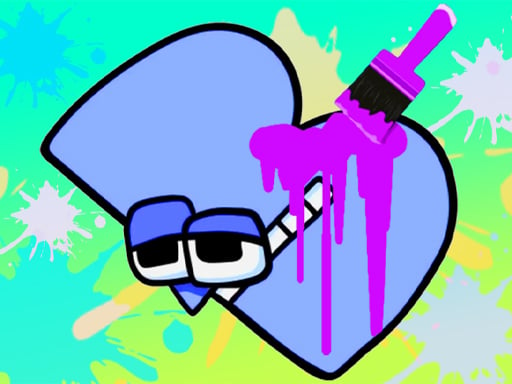
About Animation & Coloring Alphabet Lore
Animation & Coloring Alphabet Lore is an educational coloring and simulation game where players illustrate character-themed letters and experiment with digital drawing tools. Without countdown timers or high scores, the experience prioritizes creative freedom, inviting players to discover the distinct personality of each letter before adding vivid tones or exploring an open canvas in Free Draw mode.
The game centers on a relaxed creative studio built around animated letter figures. Players can pick from a lineup of sixteen distinct character letters or transition into an unconstrained Free Draw workspace. Before applying color to a chosen letter, the game showcases each character's traits, giving context to the illustration before the player takes control of the palette.
Equipped with multiple drawing implements and color selections, users interact directly with the digital page. The absence of scoring systems, turn caps, or time limits creates an unhurried simulation where artistic experimentation takes precedence over competition. Whether working through individual alphabet models or drafting spontaneous sketches, the session flows at whatever pace the artist prefers.
Your goal
The primary goal is to bring stylized alphabet characters to life through thoughtful coloring while practicing fine motor control with the mouse. Because the title does not enforce victory thresholds or penalties, success is defined by completing character portraits to personal satisfaction, experimenting with different color palettes, and developing confidence across both structured letter templates and freeform drawing canvases.
How to play Animation & Coloring Alphabet Lore
1. Select your preferred workspace from the main menu, choosing either one of the sixteen letter templates or the open Free Draw canvas.
2. Observe the animated presentation of your selected letter to inspect its character design before coloring begins.
3. Click on your desired drawing implement from the tool selector on the interface.
4. Select a color shade from the available palette to load it onto your active brush or tool.
5. Click and drag across the screen to apply pigments to the letter illustration or draft your own original art.
Controls and device support
Use the mouse to select drawing tools, switch colors, and sketch across the canvas.
- Controls: Mouse or touch
- Device support: Browser
- Game frame: 750 x 1334
Rules to keep in mind
- Activity selection is divided between sixteen individual letter subjects and a standalone Free Draw mode.
- There are no timers, countdown clocks, or session time limits governing your drawing process.
- The game does not calculate numerical scores, failure states, or grading ratings.
- Character traits and letter visuals are revealed to the player prior to coloring each template.
What makes the challenge interesting
The core rhythm of the game balances guided outline work with unrestricted creative choice. Drawing with a mouse requires smooth pointer tracking and deliberate hand-eye coordination, especially when attempting to trace borders neatly or shade tight visual regions. Because there is no mechanical penalty for stray strokes, players can treat the canvas as a low-stress sandbox.
The tradeoff exists between following the recognizable character art of the sixteen preset letters and working without any visual scaffolding in Free Draw mode. Structured templates support pattern recognition and neat coloring habits, whereas the blank canvas demands independent composition and self-directed tool experimentation.
Tips for Animation & Coloring Alphabet Lore
- Block in broad sections first before attempting fine border strokes. Rushing into tight edges with thick tools frequently leads to messy overlaps that require tedious repainting.
- Switch between available tools to see which tip provides the cleanest line weights for your current mouse sensitivity, avoiding irregular, jagged strokes.
- Take advantage of the lack of a time limit by lowering your mouse speed slightly. Slower, deliberate cursor sweeps give far better contour control than fast, erratic swipes.
- Warm up on pre-drawn alphabet templates before moving to Free Draw mode. Practicing stroke consistency on existing shapes makes starting an empty page far less intimidating.
Stages and progression
Rather than utilizing rigid unlock trees, level gates, or mandatory sequential stages, the game provides immediate access to sixteen alphabet characters alongside an unrestricted Free Draw mode. A natural progression plan involves working methodically through the roster of available letters, treating each character as an individual exercise in color harmony and cursor precision.
Once comfortable handling the drawing tools on outlined subjects, transition into Free Draw mode to construct full scenes or original letter variants. Personal improvement is marked by smoother stroke control and greater experimentation with contrasting shades across multiple sessions.
Playing on different devices
The title operates with a portrait display resolution of 750 by 1334 pixels, matching vertical mobile ratios while running in browser windows. Desktop players interact using standard mouse input to switch palette selections and draw. A smooth mouse pad and comfortable pointer tracking setting help maintain steady lines during intricate coloring tasks.
The skills behind the game
While listed under the broad puzzle classification, the game functions primarily as a casual educational art studio. The visual appeal draws heavily from cute cartoon characters, making it accessible to young learners who are familiarizing themselves with letterforms while practicing digital manipulation. The combination of structured tracing subjects and open-ended canvases bridges basic alphabet literacy with hands-on creative play.
Who will enjoy this game
Players searching for an accessible coloring game online often look for stress-free digital workbooks that remove punishing fail states and cluttered interfaces. Animation & Coloring Alphabet Lore game meets that interest by offering direct tool selection and immediate canvas interaction. For families and casual players exploring alphabet lore content, it provides a safe, peaceful environment to practice hand coordination and visual design at an individualized tempo.
Games with a similar feel
Happy Color: Happy Color focuses on a color-by-number framework where players fill predetermined, numbered zones with matched pigments. By contrast, Animation & Coloring Alphabet Lore provides active manual drawing tools and a Free Draw mode, giving artists free rein over line placement and color selection rather than following a strict numbered formula.
Frequently asked questions
Does Animation & Coloring Alphabet Lore include every letter of the alphabet? The game specifically provides a selection of sixteen character letters to choose from, alongside a dedicated Free Draw mode for sketching anything you like.
What happens if I make a mistake while drawing? There are no penalties, life counters, or countdown timers. You can simply select alternative tools or colors and continue painting over the area at your own leisure.
Can I draw my own pictures instead of coloring the letters? Yes. In addition to the sixteen character letters, the game includes a Free Draw mode designed for open-ended sketching and custom artwork.
Something not right?
Tell us if the game does not load, the information is wrong or the content needs review.
Report a problem ›