Play now

Action game

Animate.Space: Create Animated GIF!

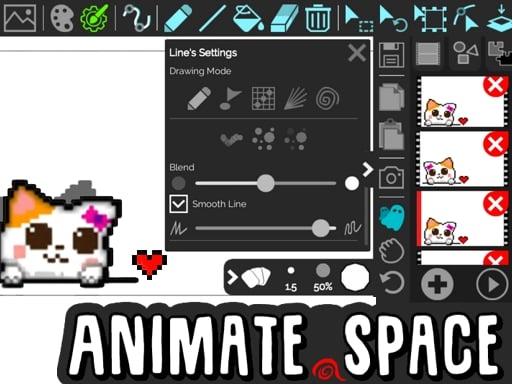
Animate.Space is a game where you can create cartoons, GIFs, and flipbooks directly in your browser. With almost unlimited frames and a variety of drawing tools (paint bucket, eraser, pixel and vector shapes), you can bring your...

More Action
ActionAnimate.Space: Create Animated GIF!

Choose Play now to load the game.

Open source

Official listing

Game description

Animate.Space is a game where you can create cartoons, GIFs, and flipbooks directly in your browser. With almost unlimited frames and a variety of drawing tools (paint bucket, eraser, pixel and vector shapes), you can bring your ideas to life through frame-by-frame animation. Easily manage frames (copy, paste, delete), select, move, rotate, resize objects, and undo actions without limits. Save your projects as animated GIFs or share them online, while features like autoframe drawing, ghost preview, and line control help you create smooth, professional-looking animations. No watermarks, no sign-up required — just pure creativity!

From the game listing

Instructions and controls

Use mouse to draw and use various drawing tools

Watch before you play

How to play Animate.Space: Create Animated GIF!

See the official game walkthrough for the objective, controls and useful gameplay ideas.

Video guide

About Animate.Space: Create Animated GIF!

Animate.Space is a game where you can create cartoons, GIFs, and flipbooks directly in your browser. With almost unlimited frames and a variety of drawing tools (paint bucket, eraser, pixel and vector shapes), you can bring your...

Animate.Space: Create Animated GIF! is listed in the Action games collection. The listing also includes the Cartoon, Design, Draw, Drawing, and Stickman tags, which help connect it with nearby game pages.

How to play Animate.Space: Create Animated GIF!

Use mouse to draw and use various drawing tools

Controls and device support

The listing currently identifies Browser support, mouse or touch controls and a 960 x 600 game frame. These details come from the supplied game information and may change when the source listing is updated.

  • Controls: Mouse or touch
  • Device support: Browser
  • Game frame: 960 x 600

Something not right?

Tell us if the game does not load, the information is wrong or the content needs review.

Report a problem