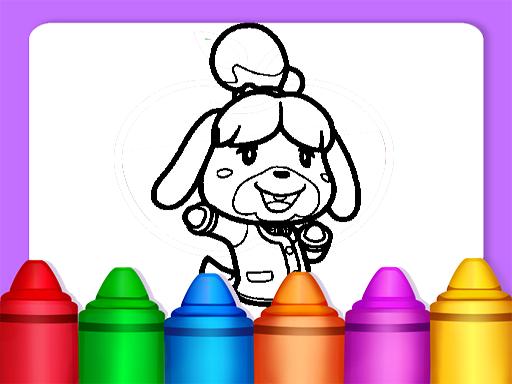
About Animal Crossing Coloring Pages
Animal Crossing Coloring Pages is a casual digital coloring and drawing activity designed for browser play. The game invites players of all ages to explore their artistic side by filling in various themed character and landscape illustrations. Featuring a straightforward interface alongside customizable brush sizes, textures, and color options, it provides an open canvas where you can experiment freely with visual styles and create personalized digital artwork at a comfortable pace.
Animal Crossing Coloring Pages provides a relaxing digital artbook filled with line-art illustrations inspired by lively village scenes, outdoor landscapes, and familiar character silhouettes. Players start by selecting an outline sheet that catches their interest and then dive into the coloring workspace. The core gameplay loop centers on choosing visual tools, experimenting with diverse palettes, and applying tints or textures across different sections of the picture to bring the scene to life.
The title emphasizes creative freedom rather than fast-paced reflex challenges. With multiple tool adjustments available, including variable brush thicknesses and tactile effects, you can test subtle shading techniques or cover large areas with bold, bright tones. Because the experience is entirely self-guided, it serves as a calm creative outlet whether you want to quickly shade a favorite character or spend time refining detailed environmental backdrops.
Your goal
The primary goal is to complete and customize your chosen illustration using the available coloring tools and visual effects. Rather than striving for high scores or beating a countdown, success is measured by your own visual satisfaction. Players aim to practice color harmony, try out different brush textures, and fill every section of the drawing until their custom artwork feels balanced, clean, and complete.
How to play Animal Crossing Coloring Pages
1. Click or tap the play button on the main screen to open the coloring book catalog.
2. Browse the available selection of character and landscape drawings and select a page you want to color.
3. Select your desired shade from the color palette located around the drawing canvas.
4. Adjust your tool settings, such as brush size or texture effects, to match the size of the area you plan to shade.
5. Click or tap directly on the canvas regions to apply your chosen color and fill in the line art.
6. Switch colors and brush settings as needed to finish every detail of your illustration.
Controls and device support
Interact entirely through mouse clicks on desktop or screen taps on mobile devices to choose pictures, select colors from the palette, adjust brush sizes, and color the canvas.
- Controls: Mouse or touch
- Device support: Desktop + mobile
- Game frame: 800 x 600
What makes the challenge interesting
The central appeal of Animal Crossing Coloring Pages lies in deliberate, stress-free creative experimentation. Unlike competitive arcade games, there are no ticking clocks or precision penalties pushing you to rush. The primary gameplay rhythm involves planning a color scheme and alternating between broad fills and smaller detail work. A common player tradeoff is deciding whether to stick to authentic character colors or explore unusual, stylized color combinations across the landscape.
Mastering the toolset means knowing when to adjust your brush dimensions. Using a wide brush allows you to shade open background areas efficiently, while shrinking the brush size lets you handle narrow outlines and intricate accessories cleanly. This gentle balance between broad strokes and careful detailing gives each coloring session a satisfying, mindful pace.
Tips for Animal Crossing Coloring Pages
- Color large background elements like skies and grass first before detailing small accessories, preventing accidental overlaps and keeping your main subject visually distinct.
- Adjust your brush size downward when working along tight borders, which prevents stray color marks from spilling into adjacent line segments.
- Experiment with texture effects on clothing and natural scenery to give flat surfaces more depth instead of relying solely on solid fills.
- Establish a consistent color palette with two or three dominant hues before filling the drawing, avoiding visual clutter across complex landscape pages.
Playing on different devices
Built on HTML5 with an 800 x 600 canvas layout, the game runs directly inside standard web browsers across desktop computers, tablets, and smartphones. Desktop users benefit from the fine cursor precision of a mouse when navigating small line boundaries, while touchscreen players can enjoy intuitive direct tapping to fill in palette selections and color zones smoothly.
The skills behind the game
While categorized under puzzle listings in casual game directories, digital coloring activities serve a distinct role focused on visual creativity, motor control, and pattern recognition. Players engage with structured line art much like solving a visual puzzle, deciding how to balance colors across interconnected spaces. This format appeals to younger audiences developing coordination as well as older players looking for a quiet, low-pressure creative break in their web browser.
Who will enjoy this game
Players looking for an accessible coloring game online often want quick, zero-install activities that work immediately on desktop or mobile. Animal Crossing Coloring Pages meets this need by offering intuitive point-and-click tools paired with recognizable character themes. It fits well into casual daily practice routines, whether you are unwinding after school or work, practicing digital brush control, or simply testing out fresh color combinations on charming scenery illustrations.
Games with a similar feel
Happy Color: Like Happy Color, this game lets players bring detailed line art to life through accessible digital color choices. However, while Happy Color relies heavily on structured color-by-number mechanics with predetermined palette codes, Animal Crossing Coloring Pages emphasizes open-ended artistic freedom by letting you choose your own colors, textures, and brush sizes for each scene.
Frequently asked questions
Can I choose which drawing page to color first in Animal Crossing Coloring Pages? Yes. The game features a wide variety of character and landscape illustrations that you can freely browse and select from the main menu without needing to finish previous pages first.
Are there different brush sizes and coloring tools available? Yes. The coloring book includes selectable tools that allow you to change brush sizes, explore multiple colors, and apply distinct textures to customize your illustrations.
Is there a time limit or score penalty while coloring? No. The game is designed as a relaxing, open-ended art activity without countdown timers, lives, or failure penalties, allowing you to color at whatever pace you prefer.
Something not right?
Tell us if the game does not load, the information is wrong or the content needs review.
Report a problem ›