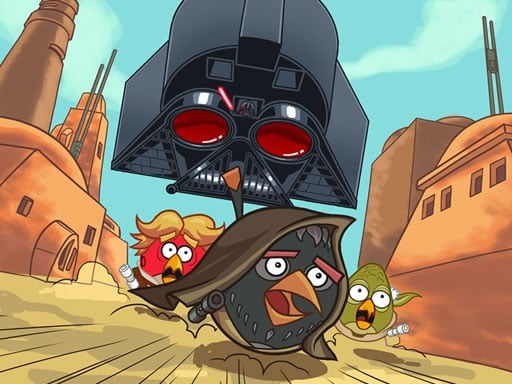
About Angry Birds Star Wars Coloring
Angry Birds Star Wars Coloring is an engaging online kids coloring puzzle where players bring dynamic themed illustrations to life. Featuring eight different picture templates and a versatile palette of 23 vibrant colors, the game challenges you to fill each scene swiftly to earn a high score. Once finished, you can save your customized artwork directly to your device.
Angry Birds Star Wars Coloring combines creative digital art with a lighthearted score-chasing challenge. Designed for both casual entertainment and young artists, the game presents eight unique line drawings inspired by character mashups. Players can experiment with 23 distinct paint colors to fill in character details, backgrounds, and accessories. Beyond standard coloring play, the title introduces an optional speed incentive: completing your artwork quickly helps maximize your final end-of-game score rating. Whether focusing on fast coloring or detailed aesthetic choices, players also enjoy the ability to save their completed masterpieces upon finishing each image.
Your goal
The main goal in Angry Birds Star Wars Coloring is to select one of the eight available pictures, fill in every section using the palette of 23 colors, and complete the coloring as quickly as possible. Doing so yields a superior final score while allowing you to save your colored image for personal enjoyment.
How to play Angry Birds Star Wars Coloring
1. Select one of the eight available illustrations from the game menu to begin coloring.
2. Pick any of the 23 colors from the palette by clicking with your mouse or tapping the screen.
3. Apply your selected shade onto the desired segment of the drawing.
4. Work quickly across the entire canvas if you want to attain a great final score.
5. Use the save option to export and keep your finished colored picture after completion.
Controls and device support
Mouse Left-Click: Select color shades, paint illustration sections, and click interface buttons
Screen Tap: Tap palette colors, fill drawing areas, and select menu options
- Controls: Mouse or touch
- Device support: Desktop + mobile
- Game frame: 960 x 540
Rules to keep in mind
- Players can choose from a total selection of eight distinct picture templates.
- A palette containing 23 different colors is provided to customize every drawing.
- Coloring pictures as fast as possible awards a higher score at the conclusion of the game.
- Players have the option to save their completed colored images upon finishing.
What makes the challenge interesting
Gameplay in Angry Birds Star Wars Coloring centers around visual coordination and rapid decision-making. Players navigate between the 23 color swatches and the uncolored picture segments. Because completion speed directly influences the final score awarded at the end of the session, players often balance careful color selection against quick execution. The intuitive point-and-click or tap controls ensure that both younger players and casual gamers can smoothly color each section, preview their progress in real time, and preserve finished pieces via the integrated save function.
Tips for Angry Birds Star Wars Coloring
- Scan the canvas before picking colors so you can apply the same hue across multiple sections rapidly to maximize your score.
- Familiarize yourself with the 23 available shades in the palette to avoid pausing during time-sensitive coloring runs.
- Remember to use the in-game save function after finishing your artwork so you can keep a digital copy of your favorite creations.
The skills behind the game
Categorized under puzzles and kids' games, digital coloring titles offer accessible creative outlets that promote pattern recognition, fine motor control, and aesthetic experimentation. Angry Birds Star Wars Coloring incorporates these foundational puzzle elements alongside an arcade-style scoring mechanism based on completion speed, making simple coloring tasks engaging for various skill levels.
Who will enjoy this game
Players searching for a casual puzzle game online or a kid-friendly coloring game online frequently seek instant browser play and accessible creative tools. Angry Birds Star Wars Coloring meets these expectations with eight distinct line drawings, an intuitive 23-shade palette, responsive mouse or tap controls, and the ability to save finished creations directly.
Games with a similar feel
Happy Color: Like Happy Color, this game lets players fill digital line art with vivid colors, but while Happy Color relies on rigid color-by-number mechanics, Angry Birds Star Wars Coloring offers free color choice from 23 shades and scores you based on completion speed.
Frequently asked questions
How many pictures and colors are included in the game? Angry Birds Star Wars Coloring features eight different themed picture templates to color and provides a wide selection of 23 distinct colors across its built-in paint palette.
How do you achieve a high score? You achieve a higher final score by completing each illustration as quickly as possible, balancing rapid color selection with efficient placement across the canvas.
Can I save my finished artwork to my device? Yes, the game includes a built-in save option that allows you to save and store your finished colored picture on your device once you finish coloring.
Something not right?
Tell us if the game does not load, the information is wrong or the content needs review.
Report a problem ›