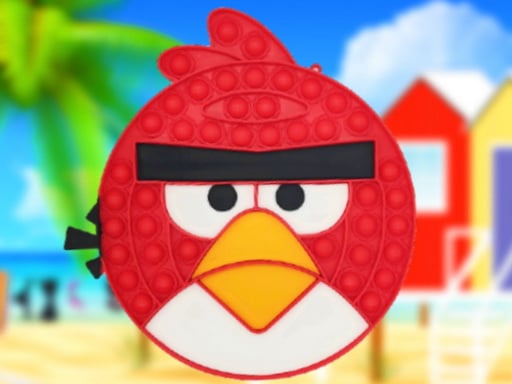
About Angry Birds Pop It Jigsaw
Angry Birds Pop It Jigsaw is a free online jigsaw puzzle game built around simple drag-and-drop play. Pick one of the available modes, choose from six images, then move each piece into place until the picture is complete for a quick, relaxed challenge.
Angry Birds Pop It Jigsaw sits in the Puzzles category as a straightforward jigsaw game rather than a story or reflex challenge. The listing describes six images spread across three modes, with play built around choosing a mode, starting the puzzle, and dragging pieces into place. Tags such as Jigsaw, Puzzle, Kids, Fun and Bird frame it as a light, approachable browser puzzle with a playful theme. With mouse control as the confirmed input, it reads as an easy-to-start puzzle where the main work is visual matching and patient placement.
Your goal
Your goal is to complete the selected picture. After choosing a mode and starting the game, drag each jigsaw piece across the board and drop it where it belongs. Keep adjusting the remaining pieces until the scattered fragments connect into one full image. The mode and image choice happen first; solving is the hands-on part that follows.
How to play Angry Birds Pop It Jigsaw
1. Open the game and choose one of the three listed modes.
2. Pick from the six available images, then start the puzzle.
3. Use the mouse to control the game.
4. Drag a jigsaw piece toward the space where you think it fits.
5. Drop the piece into place and continue matching shapes and picture details.
6. Finish when every piece is placed and the chosen image is complete.
Controls and device support
Mouse: Use the mouse to play this game
- Controls: Mouse or touch
- Device support: Browser
- Game frame: 960 x 540
Rules to keep in mind
- Select a mode before starting the puzzle round.
- Pieces are moved by dragging and dropping them into position.
- The puzzle is solved when the pieces recreate the chosen image.
What makes the challenge interesting
The focus is classic jigsaw assembly: look at the fragments, compare edges and picture details, then drag each piece into a better position. Because the source describes six images and three modes, the variety comes from choosing a setup before you solve rather than from complicated controls. Mouse input keeps the interaction direct, so attention stays on pattern recognition, spatial fit, and the steady satisfaction of turning loose pieces into one finished picture.
Tips for Angry Birds Pop It Jigsaw
- As general jigsaw advice, try placing obvious edge or corner-like pieces first so the image has a clearer boundary to build toward.
- Group pieces by similar color or picture detail before dragging them; small clusters can make the final image easier to reconstruct.
- If a piece will not settle, move it aside and scan the gaps again; matching the shape to the empty space is usually faster than forcing it.
The skills behind the game
Within the Puzzles category, this sits squarely in the jigsaw niche: visual piece placement rather than word, number, logic-grid, or physics play. The Jigsaw and Puzzle tags confirm the core genre, while Kids, Fun and Bird suggest a light, casual presentation aimed at simple browser sessions.
Who will enjoy this game
Natural phrases for this page include “angry birds pop it jigsaw,” “angry birds pop it jigsaw game,” “jigsaw puzzle online,” and “puzzle game online.” They fit because the listing is a free online jigsaw puzzle with drag-and-drop piece placement, mode choice, and six images to complete.
Frequently asked questions
How do you play Angry Birds Pop It Jigsaw? Use the mouse to drag and drop jigsaw pieces into place. Keep moving pieces until they form the complete image you selected at the start.
How many images and modes are in Angry Birds Pop It Jigsaw? The description says there are six images available across three modes. You choose a mode, start the game, and then solve the selected puzzle by placing the pieces.
Is Angry Birds Pop It Jigsaw free to play? Yes. The supplied description calls it a free online game in the jigsaw puzzle genre, with play centered on dragging and dropping pieces to complete an image.
Something not right?
Tell us if the game does not load, the information is wrong or the content needs review.
Report a problem ›