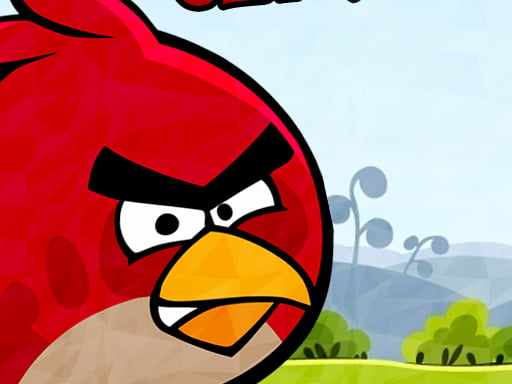
About Angry Birds Classic
Angry Birds Classic brings competitive arcade action to your browser, challenging players to enter the Star Cup and face off head-to-head against individual opponents. Test your precision across dynamic challenges, compete directly with friends, and strive to climb the global leaderboards to prove your skills as the best player in the world.
Angry Birds Classic is an arcade and adventure title centered on structured head-to-head competition. In the featured Star Cup tournament mode, players go up against opponents to outscore rivals and secure victories. The game blends rapid arcade pacing with jumping mechanics, offering accessible rounds that reward focus and consistency.
Whether you are competing with friends or testing your abilities against players worldwide, the main drive is climbing the official leaderboards. With an 800 by 600 screen dimension and intuitive touch pad control support, players can jump directly into competitive matches in their browser.
Your goal
Your main objective in Angry Birds Classic is to conquer the Star Cup by outperforming individual opponents in head-to-head matchups. You must consistently achieve higher scores than your rivals across competitive challenges, defeating friends and contenders to climb to the top of the global leaderboards.
How to play Angry Birds Classic
1. Open Angry Birds Classic in your web browser to access the main game display.
2. Enter the Star Cup mode to begin a head-to-head challenge against an opponent.
3. Use your touch pad to navigate and execute your gameplay actions during each round.
4. Score as many points as possible during the challenge to outperform your rival.
5. Win matches to earn ranking progress and climb higher on the leaderboards.
Controls and device support
The game specifies touch pad input for navigating menus and performing in-game actions.
Touch Pad: Interact with game elements and control gameplay actions
- Controls: Mouse or touch
- Device support: Desktop + mobile
- Game frame: 800 x 600
Rules to keep in mind
- Matches are decided through direct head-to-head scoring against assigned individual opponents in the Star Cup.
- Leaderboard progress is earned by coming out on top in competitive matches against friends and rivals.
- All gameplay inputs must be performed using the supported touch pad control scheme.
What makes the challenge interesting
The gameplay focus of Angry Birds Classic revolves around competitive efficiency and high-score execution. Because Star Cup matches place you in direct contest with individual rivals, each move influences your overall tournament placement. Players must balance quick decision-making with steady control to maintain a scoring edge.
Mastering touch pad inputs and adapting to the fast-paced arcade environment allows you to maintain consistency under competitive pressure, making it possible to defeat opponents and ascend the ranks.
Tips for Angry Birds Classic
- Familiarize yourself with your touch pad sensitivity before entering matches to maintain precise and deliberate control during competition.
- Prioritize high-value scoring opportunities during each turn rather than rushing, helping secure a lead over your individual opponent.
- Keep track of leaderboard requirements to understand the scoring benchmarks needed to climb past top competitors.
Stages and progression
Progression in Angry Birds Classic is marked by your standing on the global leaderboards. Winning head-to-head matches in the Star Cup elevates your rank as you compete against friends and other players to reach the top.
Playing on different devices
Angry Birds Classic is presented in an 800 by 600 resolution canvas designed for standard browser play, utilizing touch pad inputs for responsive navigation and gameplay interaction.
The skills behind the game
As an arcade title featuring adventure and jumping tags, Angry Birds Classic fits into a tradition of accessible, score-driven browser experiences. Arcade games emphasize fast rounds, immediate responsiveness, and clear win conditions. By incorporating a head-to-head Star Cup format and social leaderboards, the title adds a competitive focus to quick session play.
Who will enjoy this game
Players looking for an angry birds classic game or an engaging arcade game online can jump directly into this browser-based entry. The inclusion of competitive head-to-head matchmaking in angry birds classic provides a focused challenge for those aiming to test their skills against friends and climb the global leaderboards.
Frequently asked questions
What is the main competition mode in Angry Birds Classic? The game features the Star Cup mode, where players face off head-to-head against individual opponents and compete with friends to climb competitive leaderboards.
What input method is required to play Angry Birds Classic? The game is operated using touch pad controls, allowing players to interact with the game screen directly inside their web browser.
What display dimensions does the game use? Angry Birds Classic operates in a standard browser window configured at native dimensions of 800 by 600 pixels for arcade play.
Something not right?
Tell us if the game does not load, the information is wrong or the content needs review.
Report a problem ›