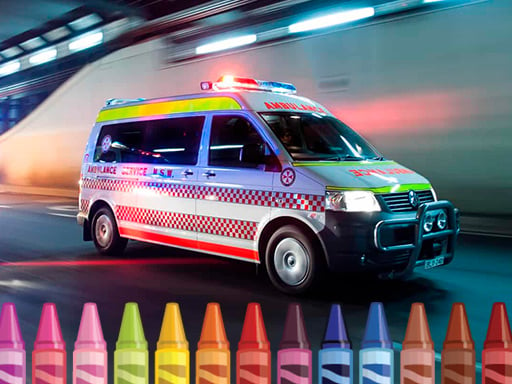
About Ambulance Coloring
Ambulance Coloring is a browser coloring activity built around black-and-white ambulance pictures. The description frames it as a drawing lesson at an elementary school: you open one page, a drawing panel appears, and you pick colors and apply them to specific areas until the whole image is fully colored.
The listing presents Ambulance Coloring as a digital coloring book rather than a puzzle with one correct answer. The source description sets the scene in an elementary-school drawing class, where a teacher hands out a coloring book whose pages hold black-and-white images of ambulances. You choose one of those pages and open it.
From there everything happens on one picture at a time. A special drawing panel appears, and it becomes the tool for the whole session: you select a color, apply it to a specific area of the drawing, then select the next color. Working area by area gradually turns the black-and-white outline into a fully colored picture.
Your goal
The goal is to finish the page you opened by applying color to its separate areas until the ambulance drawing is completely colored. The source describes the coloring process itself as the activity, and it states no score, no timer and no way to fail, so the finished picture is the natural endpoint.
How to play Ambulance Coloring
Starting takes one click or tap, and the drawing panel handles the rest.
1. Open the coloring book and look over the pages of black-and-white ambulance images.
2. Click on one of those images to open the picture in front of you.
3. Let the special drawing panel appear; it holds the colors you will work with.
4. Use the panel to choose a color.
5. Apply that color to a specific area of the drawing.
6. Keep choosing colors and filling areas until the drawing is completely colored.
Controls and device support
The listing gives a single control instruction — use mouse or tap the screen — so no keyboard keys, gestures or menu shortcuts are documented for this game.
Mouse: Choose a color from the drawing panel and apply it to an area of the picture.
Tap (touch screen): Choose a color from the drawing panel and apply it to an area of the picture.
- Controls: Mouse or touch
- Device support: Desktop + mobile
- Game frame: 960 x 540
Rules to keep in mind
- Work on one open picture at a time; the description has you open a single image before the drawing panel appears.
- Apply colors area by area, because each chosen color goes onto a specific part of the drawing rather than the whole image at once.
- Use the listed input only: the mouse, or a tap on the screen.
What makes the challenge interesting
Play is quiet and self-paced. The description mentions no opponent, no puzzle logic to decode and no failure state, so the activity is really about color choice and coverage. Because color goes onto specific areas one at a time, progress is measured in filled regions rather than sweeping strokes across the canvas. The drawing panel is the only interface the source names: pick a color, apply it, then pick the next one, in whatever order you like.
Tips for Ambulance Coloring
- Start with the largest areas of the drawing. Covering the big regions first makes the page look finished sooner, which keeps a short coloring session satisfying.
- Pick a small palette and stay with it. A few related colors across the whole ambulance usually read as more deliberate than a different color in every area.
- Glance over the whole page now and then. It is easy to leave one region untouched, and a quick check catches missed spots before you decide you are done.
Playing on different devices
The listing tags the game HTML5 and Mobile and gives a frame size of 960 x 540, while its only control instruction is to use the mouse or tap the screen. That combination is consistent with a browser coloring page that also accepts touch input; no other device requirements are stated.
The skills behind the game
Ambulance Coloring is filed under Puzzles, and its tags — Coloring, Fun, HTML5, Kids and Mobile — explain that fit. Coloring pages are puzzle-adjacent: there is a defined end state in a fully colored picture and a series of small decisions about which color belongs where, but no opponent, no wrong answer and no way to lose. Someone after a calm, non-competitive browser activity fits the intended audience better than someone hunting a timed brain-teaser.
Who will enjoy this game
Phrases like "ambulance coloring" and "ambulance coloring game" describe this listing most directly, while "coloring game online" captures the format. "Puzzle game online" is the looser fit, since the game is filed under Puzzles but the activity is coloring rather than solving. These wordings come from the supplied keyword list as natural phrasing suggestions, not measured search data.
Games with a similar feel
Happy Color: Happy Color is associated with coloring pictures by filling numbered color regions, so both share the pick-a-color, fill-an-area idea. The difference here is guidance: Ambulance Coloring is described around black-and-white ambulance pages and a drawing panel where you choose the colors yourself, with no numbering scheme mentioned.
Frequently asked questions
What do you do in Ambulance Coloring? You open one of the black-and-white ambulance pages, then use the drawing panel to choose a color and apply it to specific areas of the picture. Repeating that fills the drawing in completely.
What controls does Ambulance Coloring use? The listing gives one control instruction: use the mouse or tap the screen. No keys, gestures or menus are documented, so plan on clicking or tapping to pick colors and fill areas.
Is Ambulance Coloring aimed at children? The listing tags it Coloring, Fun, HTML5, Kids and Mobile, and the description frames it as an elementary-school drawing lesson. Those are the source's own labels rather than a formal age rating, so judge for yourself.
Something not right?
Tell us if the game does not load, the information is wrong or the content needs review.
Report a problem ›