Official listing
Game description
Features - Multiple weapons - Three missions - AI enemy airplanes
Arcade game
Air Warfare is an action-packed arcade flight game where players pilot an aircraft against waves of AI enemy airplanes. Featuring three distinct missions and an arsenal of multiple weapons, this browser-based title challenges your piloting and aiming skills using straightforward mouse and keyboard controls.
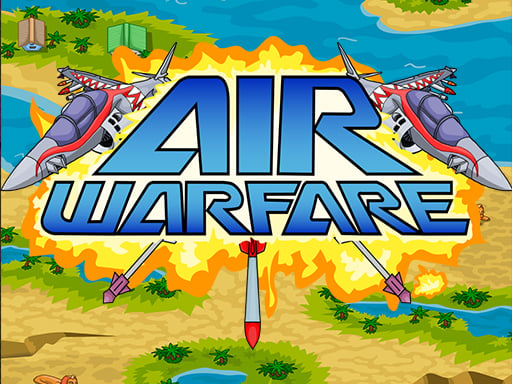
Choose Play now to load the game.
Official listing
Features - Multiple weapons - Three missions - AI enemy airplanes
From the game listing
Click Arrows Mouse
Open this card to load the gameplay video.
Air Warfare is an action-packed arcade flight game where players pilot an aircraft against waves of AI enemy airplanes. Featuring three distinct missions and an arsenal of multiple weapons, this browser-based title challenges your piloting and aiming skills using straightforward mouse and keyboard controls.
In Air Warfare, you enter fast-paced dogfights designed around direct arcade aerial combat. The game presents a structured campaign featuring three specific missions where hostile AI airplanes challenge your reflexes and airborne positioning. To counter incoming threats, players can utilize multiple weapons tailored for engaging targets from various angles and distances.
The interface is built to run smoothly in standard browser dimensions of 800 by 600, keeping combat visible and accessible. By combining arrow key navigation with active mouse interaction, the game offers a traditional arcade flying experience centered on tactical maneuvering and precise weapon deployment across every mission.
The primary objective in Air Warfare is to complete all three aerial combat missions by successfully shooting down waves of AI enemy airplanes. Players must survive hostile flight attacks, manage their multiple weapons effectively, and clear the skies to secure mission victory.
1. Launch the game and select your active mission from the available stages.
2. Use the arrow keys and mouse movement to steer your aircraft across the sky.
3. Click to fire equipped weapons and engage incoming AI enemy airplanes.
4. Switch between multiple available weapons to efficiently counter airborne threats.
5. Neutralize all enemy targets across all three missions to complete the game.
Arrow Keys: Steer and navigate the aircraft
Mouse / Click: Aim and fire onboard weapons
Air Warfare focuses on classic arcade dogfighting mechanics where reaction speed and positioning are essential. Because enemy airplanes are AI-driven, players must anticipate aerial patterns, balance evasive movement with offensive bursts, and choose the proper weapon for each encounter. The 800x600 viewport provides a focused combat arena where split-second directional shifts and steady aim determine survival across all three campaign missions.
Progression is structured around three distinct missions. Players advance by clearing hostile AI enemy aircraft in each combat zone, testing their mastery of multiple weapons against increasingly demanding aerial opposition.
As an arcade action title, Air Warfare delivers fast-paced aerial combat focused on immediate gameplay rather than complex flight simulation. Players can jump straight into the cockpit, maneuvering with simple inputs while targeting hostile craft in accessible, mission-based encounters.
If you enjoy an air warfare game with retro-style dogfighting, this arcade game online provides quick combat scenarios. Mastering air warfare requires responsive steering, prompt weapon selection, and careful tracking of enemy flight paths across every mission.
How many missions are available in Air Warfare? Air Warfare includes three specific missions that players must complete by defeating AI-controlled enemy aircraft.
What controls are used to fly and shoot? You navigate and steer using the arrow keys and interact or fire using mouse movements and clicks.
Does the game include different armament options? Yes, Air Warfare features multiple weapons that you can deploy during aerial dogfights against enemy airplanes.
Tell us if the game does not load, the information is wrong or the content needs review.
Report a problemExplore popular games by category, shared tags and site-wide activity.
















