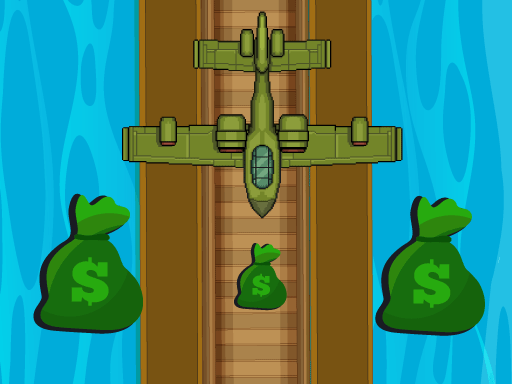
About Air Simulator
Air Simulator puts players in direct control of an aircraft as it navigates forward across diverse terrain. Designed around accessible arcade-style movement, the core challenge centers on guiding your plane smoothly left and right using responsive directional steering. Whether maneuvering through open stretches or adjusting course over changing environments, keeping your craft centered and steady is key to maintaining a clean flight path throughout the experience.
In Air Simulator, you take the helm of a flying aircraft and journey across a variety of different visual landscapes. The core loop emphasizes real-time lateral navigation, requiring players to constantly observe the horizon and steer away from potential flight hazards or misaligned trajectories.
Unlike complex flight simulations that require extensive instrument management, this title embraces a streamlined arcade presentation. The focus remains on immediate responsive steering, letting you settle into a steady rhythm as you travel over shifting terrain and work to keep your aircraft steady in the air.
Your goal
The primary objective in Air Simulator is to pilot your aircraft through shifting landscapes by maintaining steady lateral control. Players aim to sustain continuous flight by reading the space ahead, executing deliberate left and right steering adjustments, and avoiding sharp overcorrections that could destabilize their flight line.
How to play Air Simulator
1. Launch the game in your browser window to enter the flight arena.
2. Identify the steering joystick positioned on the interface to prepare your flight input.
3. Steer left or right to align your aircraft safely with the open path across the landscape.
4. Watch the changing environment ahead and make small course corrections to stay stable.
5. Continue navigating across new landscape sections to extend your flight distance.
Controls and device support
Steer your aircraft by dragging or tilting the joystick left and right to adjust horizontal positioning across the flight area.
- Controls: See in-game controls
- Device support: Browser
- Game frame: 720 x 1280
What makes the challenge interesting
The defining skill in Air Simulator is proactive horizontal alignment. Because the flight perspective involves forward momentum across varied terrain, success relies on making incremental adjustments rather than sudden, drastic swings. A frequent dilemma is whether to remain centered in the flight corridor or make an early shift toward an open flank. Choosing small, deliberate joystick movements preserves your balance, whereas severe swerves can leave your aircraft out of position when the terrain changes.
Tips for Air Simulator
- Apply gentle joystick movements instead of pushing hard to the edges; smooth lateral steering prevents overshooting your intended flight corridor.
- Scan the distant landscape rather than focusing solely on your aircraft so you have ample time to prepare lateral maneuvers.
- Return toward a central position when the path ahead looks clear, giving yourself equal room to react left or right when terrain shifts.
- Avoid rapid back-and-forth steering oscillations, which create unnecessary turbulence and make fine adjustments harder to time.
Stages and progression
Air Simulator features progression through varied landscapes, presenting visual changes as you guide your plane forward across different environments. To build consistency across extended flights, focus on establishing a steady rhythm of subtle joystick inputs. Practicing disciplined course corrections on each run allows you to navigate unfamiliar scenery with greater confidence.
Playing on different devices
Built in a portrait 720 x 1280 resolution format, Air Simulator is well suited for touchscreens and mobile displays where virtual joystick input feels natural. On desktop web browsers, the joystick can be manipulated via mouse drag inputs. Ensuring smooth cursor tracking or responsive touch gestures ensures you maintain accurate lateral control throughout your session.
The skills behind the game
Positioned within the arcade and flight simulation genres, Air Simulator offers an accessible entry point for fans of straightforward vehicle navigation. Traditional aviation sims often focus on complex cockpits, thrust gauges, and realistic physics models. In contrast, arcade-styled simulators strip away excessive instrumentation to focus directly on visual pacing, reaction timing, and clean trajectory management over changing environments.
Who will enjoy this game
Players looking for an air simulator game to enjoy in short casual breaks can use this title to practice smooth steering and rapid visual tracking. Navigating an arcade game online provides quick, immediate engagement without long setup tutorials. Focusing on small, measured joystick inputs during each flight session helps you build steadier reflexes and avoid sudden off-course drift.
Frequently asked questions
How do you control the aircraft in Air Simulator? You control the aircraft using a directional joystick interface to steer left and right across the screen as you fly forward.
What type of scenery appears during the flight? The game features a variety of different landscapes that change as you pilot your aircraft along its journey.
Is Air Simulator playable directly in a web browser? Yes, Air Simulator is an HTML5 browser title designed for immediate online play without dedicated software installation.
Something not right?
Tell us if the game does not load, the information is wrong or the content needs review.
Report a problem ›