About Agario.one
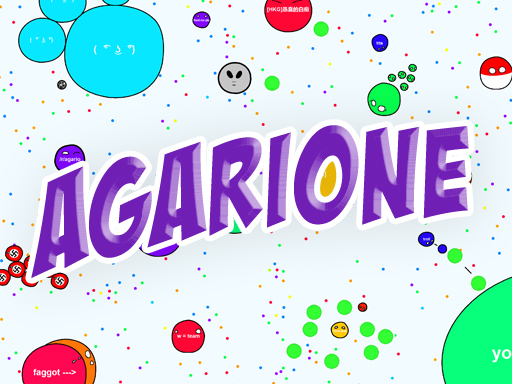
Agario.one is a multiplayer browser arena game where players steer their own cell across an active field. Inspired by classic cell-growing io experiences, the game challenges you to guide your movement with the mouse, eject mass using designated keys, and split when tactical opportunities arise to navigate the shared arena alongside other online participants.
Agario.one delivers an accessible arena-based experience playable directly inside your web browser. Operating as a private server style multiplayer io title, the game places you directly in control of an expanding cell navigating around other players. Your primary interaction centers on smooth directional navigation using the mouse pointer, combined with quick keyboard inputs to alter your cell's state during matches. Players can eject mass to interact with the environment or feed, utilize self-feeding keys, and divide their cell with the spacebar to adjust movement and positioning. Whether competing in casual browser sessions or exploring arena tactics, the title emphasizes continuous movement, situational awareness, and reactive splitting to handle evolving encounters across the field.
Your goal
The main objective in Agario.one is to actively control and sustain your cell inside the multiplayer arena. By navigating across the open field, ejecting mass when needed, and executing well-timed splits, your goal is to survive encounters with other participants, manage your cell size effectively, and outmaneuver rivals in the shared browser arena.
How to play Agario.one
1. Launch the game directly in your browser window to enter the active multiplayer arena.
2. Move your mouse across the screen to guide the direction and path of your cell.
3. Press the W key to eject mass or feed into the arena when necessary.
4. Use the E key to trigger self feeding actions during arena play.
5. Press Space to split your cell into separate pieces to react to surrounding players.
Controls and device support
Mouse Movement: Control cell direction and navigation
Space: Split your cell
W: Eject mass / feed
E: Self feed
- Controls: Mouse or touch
- Device support: Desktop + mobile
- Game frame: 800 x 600
Rules to keep in mind
- Moving the mouse directs your cell smoothly across the arena floor at all times.
- Pressing Space divides your cell into smaller units for rapid tactical repositioning.
- Pressing W expels mass outward to feed or interact with the arena environment.
- Pressing E triggers the self-feed mechanic supported by the game server controls.
What makes the challenge interesting
Gameplay in Agario.one revolves around positioning, timely mass management, and arena navigation. Because other players occupy the same browser space, moving your mouse precisely is vital for evading hazards and staying clear of threatening opponents. Splitting your cell with the spacebar provides burst movement or divided coverage, but leaves your parts smaller until recombined. Meanwhile, using the W and E keys to eject mass or self-feed introduces tactical utility during competitive maneuvers. Success depends on reading nearby movement patterns and choosing when to conserve mass versus when to split.
Tips for Agario.one
- Keep your mouse cursor close to your cell when making tight turns, and extend it outward when you need a clear, steady directional line.
- Use the Space split function cautiously, as dividing your cell makes each portion smaller and potentially more vulnerable to nearby rivals.
- Practice using W and E in open spaces first to understand how mass ejection and self-feeding affect your cell's size and positioning.
The skills behind the game
Agario.one sits within the Multiplayer and .io arena categories, focusing on real-time browser matches where multiple participants share an open arena. Games in this genre prioritize immediate responsiveness, accessible controls, and competitive spatial awareness as players navigate, split, and manage mass against active opponents.
Who will enjoy this game
When exploring Agario.one game sessions, players engage with classic arena mechanics centered around mouse movement, mass feeding, and split tactics. Agario.one delivers direct browser-based cell navigation designed for quick entry, straightforward keyboard controls with W and E keys, and competitive multiplayer interaction without cumbersome setup.
Games with a similar feel
Agar.io: Like Agar.io, this game focuses on navigating a cell in a shared multiplayer arena while managing splits and mass. Agario.one incorporates dedicated browser server controls including W feed and E self-feed options for real-time maneuvers.
Frequently asked questions
How do you control your cell in Agario.one? You steer your cell by moving your mouse across the browser play area, while pressing Space to split, W to eject mass or feed, and E to self-feed.
Can you play Agario.one with other players in the browser? Yes, Agario.one is a multiplayer arena game designed to be played online with other players directly in your desktop browser window.
What does the W key do during a match? Pressing the W key ejects mass from your cell, allowing you to feed mass outward into the arena as part of your gameplay tactics.
Something not right?
Tell us if the game does not load, the information is wrong or the content needs review.
Report a problem ›