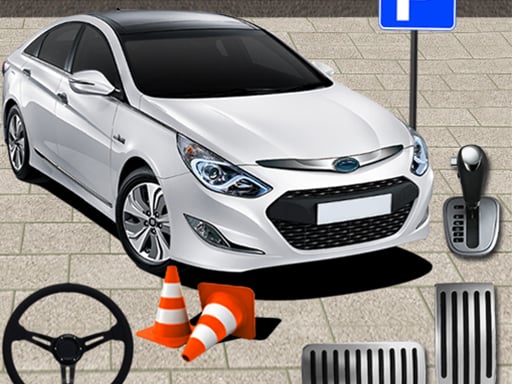
About Advance Car Parking Game: Car Drive
Advance Car Parking Game: Car Drive is a 3D car parking and driving simulator built around one clear challenge: guiding your vehicle into parking spots. Set in city parking lots, it emphasizes careful steering, adjustable camera angles, and practice-based skill building rather than high-speed racing.
According to its official description, Advance Car Parking Game: Car Drive presents itself as a car drive parking simulator where parking lots and the city act as your playground. The listing highlights superior quality graphics, a realistic gearbox experience, and easy parking management as its main selling points. Beyond simply passing time, the description says the game is designed to help you learn how to actually park your car and master your technique through practice. Camera control is part of the experience: you can set the camera angle by swiping up, down, left, and right on the screen, and zoom in or out with a double touch.
Your goal
Your goal in Advance Car Parking Game: Car Drive is to park your vehicle successfully in each parking challenge. The description frames the game as a test of your ability as a car parking driver, rewarding precision in handling the steering wheel. By practicing, you work toward mastering the gameplay and becoming, in the game's words, the king of parking.
How to play Advance Car Parking Game: Car Drive
1. Launch the game and take control of your car in a city parking lot environment.
2. Drive and steer your vehicle using the keyboard controls listed in the game's instructions.
3. Swipe on the screen up, down, left, or right to set a camera angle that gives you a clear view of the action.
4. Use a double touch to zoom in or out when you need a closer or wider view of the parking area.
5. Maneuver carefully into the parking spot, relying on precise steering to position the car correctly.
6. Repeat and practice each challenge to sharpen your parking technique and master the gameplay.
Controls and device support
The instructions list keyboard controls, while the description also mentions swiping to set the camera angle and double-touch to zoom.
- Controls: Keyboard
- Device support: Desktop + mobile
- Game frame: 900 x 600
What makes the challenge interesting
Gameplay centers on precision rather than speed. The description stresses that accurate handling of the steering wheel is the key attribute, and that parking lots and city streets form the playground for each challenge. Camera management supports that precision: swiping adjusts your viewing angle, while a double touch controls zoom, letting you judge distance and alignment. The listing also promotes a realistic gearbox experience and positions the game as a way to genuinely practice parking technique, so the core loop is careful maneuvering and gradual improvement.
Tips for Advance Car Parking Game: Car Drive
- Set your camera angle before you start moving. A clear view of the parking space makes it much easier to judge alignment and distance.
- Zoom out in tight areas so you can see the whole parking space and everything around your car before committing to a turn.
- Make small, gentle steering corrections instead of sharp turns, since precise handling of the steering wheel is the skill this game is built to test.
- Treat each attempt as practice. The description says mastery comes from repeating parking challenges, so use mistakes to refine your approach.
Stages and progression
The description frames progression as practice-based mastery rather than a stated level system: you learn how to actually park your car, then master yourself by practicing. It presents repeated play as the path to becoming a more precise and confident parking driver.
Playing on different devices
The game is presented at a 900 x 600 size. Its instructions list keyboard controls, while the description also mentions swiping and double-touch gestures for the camera, so the exact input method may depend on how the game is embedded.
The skills behind the game
Advance Car Parking Game: Car Drive sits in the Racing category, but it represents the parking-simulator side of that genre. Instead of competing for the fastest lap, parking games ask players to maneuver slowly and accurately into marked spaces. Tags like Parking, Simulator, city, and Stunts reflect that mix of driving skill and careful vehicle control.
Who will enjoy this game
Players looking for a car parking game or a racing game online will find this title fits both ideas: it is a driving game built around parking challenges rather than track racing. The phrase 'advance car parking game: car drive' matches the exact title, while broader terms reflect its parking-simulator gameplay.
Games with a similar feel
Car Parking Multiplayer: Like Car Parking Multiplayer, this game is built around maneuvering vehicles into parking spaces. The difference is emphasis: that reference is associated with multiplayer parking challenges, while this listing focuses on solo practice, camera control, and a realistic gearbox feel.
Asphalt: Asphalt shares the broad idea of driving cars, but it is an arcade racing series built around fast-paced races. Advance Car Parking Game: Car Drive goes the opposite direction, rewarding slow, precise steering to park a vehicle rather than outright speed.
Frequently asked questions
How do you change the camera view in Advance Car Parking Game: Car Drive? Swipe on the screen up, down, left, or right to set the camera angle, and use a double touch to zoom in or out for a better view of the parking area.
What is the goal in Advance Car Parking Game: Car Drive? Your goal is to park your vehicle in each challenge. The game tests precise steering and encourages you to practice until you master your parking technique.
What controls does the game use? The instructions list keyboard controls for driving. Separately, the description mentions swiping to adjust the camera and double-touch to zoom, so available inputs may vary by setup.
Something not right?
Tell us if the game does not load, the information is wrong or the content needs review.
Report a problem ›