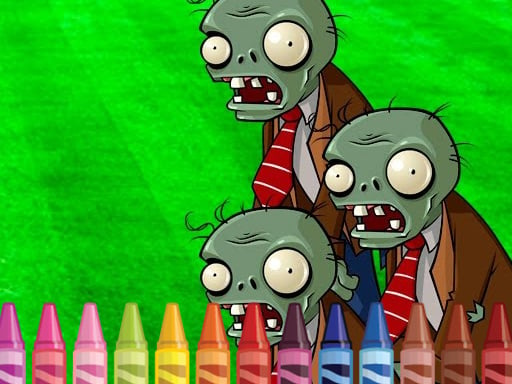
About 4GameGround - Zombie Coloring
4GameGround - Zombie Coloring is an online monster-themed memory matching game featuring zombies and skeletons. Despite its coloring title, the gameplay challenges players to flip hidden square tiles across the board, memorize the revealed creature artwork, and pair matching images. With four distinct levels to tackle, your goal is to clear each stage efficiently in the fewest moves possible.
In 4GameGround - Zombie Coloring, players engage in classic pair-matching mechanics wrapped in a fun monster and skeleton aesthetic. Each round presents an array of face-down square tiles. By clicking or tapping on a square, you reveal the monster illustration beneath. Revealing two matching illustrations locks the pair on the board, while mismatched tiles flip back face-down.
Success relies on concentration, visual recall, and tracking tile placements across the board. The game is designed as an accessible HTML5 browser title across desktop and mobile browsers, challenging you to conquer all four stages by solving every matching layout in minimal turns.
Your goal
The primary objective in 4GameGround - Zombie Coloring is to reveal and match all identical pairs of zombie and skeleton tiles on the screen. To achieve optimal performance across the four provided levels, you must clear the entire board while minimizing the total number of tile flips and exploratory moves you make during each stage.
How to play 4GameGround - Zombie Coloring
1. Select an active level from the four available stages to generate the hidden tile grid.
2. Click with a mouse or tap the screen to turn over an initial square tile and reveal its monster graphic.
3. Select a second square tile to uncover another zombie or skeleton illustration.
4. Match two identical monster cards to connect the pair and keep them cleared.
5. Memorize the positions of mismatched tiles before they flip back face-down.
6. Connect every pair across the board in as few total moves as possible to win.
Controls and device support
Mouse Click: Click on square tiles to flip and reveal monsters
Touch Screen Tap: Tap on square tiles to flip and reveal monsters
- Controls: Mouse or touch
- Device support: Desktop + mobile
- Game frame: 960 x 540
Rules to keep in mind
- Pair Matching: Flipping two identical monster tiles successfully matches and resolves the pair.
- Move Efficiency: The game challenges players to solve each board in as few moves as possible.
- Stage Clear Condition: All pairs on the board must be connected to win the stage and complete all 4 levels.
What makes the challenge interesting
The core gameplay focus in 4GameGround - Zombie Coloring revolves around memory retention and efficient board exploration. Because tiles flip face-down when mismatched, blindly guessing tiles inflates your total move count. A disciplined strategy involves methodical uncovering of tiles row by row or section by section while actively tracking which zombie or skeleton is concealed beneath each coordinate. Maintaining strict focus ensures you can instantly capitalize on previously seen monster graphics whenever their matching counterpart is exposed.
Tips for 4GameGround - Zombie Coloring
- Uncover tiles methodically from one corner to keep track of coordinates and avoid re-flipping previously checked empty spaces unnecessarily.
- Focus closely on the distinct visual features of each skeleton or zombie illustration to differentiate similar monster art quickly.
- Pause briefly after an accidental mismatch to firmly commit the newly revealed tile location to memory before starting your next turn.
Stages and progression
4GameGround - Zombie Coloring features 4 levels of memory matching puzzles. Players progress by clearing all matching pairs on the active board to advance through the stages.
The skills behind the game
Filed under the Arcade and memory game genres, 4GameGround - Zombie Coloring combines fast casual puzzle mechanics with monster themes. Arcade memory titles emphasize quick mental processing, observation, and pattern matching without requiring complex controls. By presenting straightforward click-and-flip mechanics, this HTML5 game provides accessible puzzle sessions for casual web and mobile players looking to exercise visual recall.
Who will enjoy this game
Whether searching for a 4gameground - zombie coloring game, an arcade game online, or a quick browser brain teaser, players discover a monster matching challenge. Although its title mentions coloring, the actual gameplay functions as a pair-matching memory game where players click and tap squares to connect zombie and skeleton pairs across multiple levels.
Games with a similar feel
Happy Color: While Happy Color centers on filling pre-drawn pictures using numbered color regions, 4GameGround - Zombie Coloring is actually a tile-flipping memory match game where players locate pairs of zombie and skeleton artwork instead of painting them.
Frequently asked questions
How many levels are included in the game? 4GameGround - Zombie Coloring includes 4 levels. Players advance through each level by successfully pairing up all hidden zombie and skeleton tiles on the screen.
How do you control the game on different devices? You can play on desktop computers by clicking square tiles with a mouse, or on mobile devices by tapping the touchscreen directly on the squares.
Something not right?
Tell us if the game does not load, the information is wrong or the content needs review.
Report a problem ›