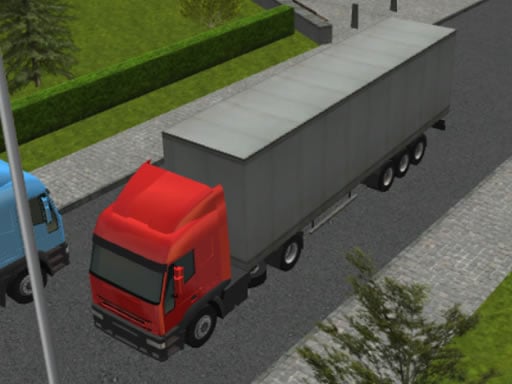
About 3D Truck Parking
3D Truck Parking tests your vehicle control as you guide a large trailer truck through urban roads into assigned parking zones. Operating an articulated vehicle demands careful steering, measured speed, and regular camera adjustments to monitor clearance from multiple perspectives.
In 3D Truck Parking, players take the wheel of a heavy trailer truck navigating a detailed 3D city environment. Unlike standard passenger car challenges, maneuvering a large commercial vehicle requires understanding how the cab and rear trailer interact during turns and backing maneuvers.
The primary task involves driving through city streets and cleanly slotting the entire rig into a designated marked area. Changing camera perspectives provides visual assistance across different angles so you can verify alignment before finishing a maneuver.
Your goal
The main goal is to navigate your trailer truck across the urban setting and bring the entire vehicle to a secure stop inside the designated parking boundary while maintaining steady control.
How to play 3D Truck Parking
1. Start the truck and use the WASD or arrow keys to begin driving along city streets.
2. Steer carefully along wide roadway paths to give the attached trailer room to follow cleanly.
3. Locate the marked parking area designated for your truck within the surrounding environment.
4. Switch or rotate the camera view to inspect positioning and clearance around corners and borders.
5. Ease into the marked spot until the vehicle and trailer settle neatly within the space.
Controls and device support
Drive the truck using either the W, A, S, and D keys or the keyboard arrow keys.
- Controls: Keyboard
- Device support: Browser
- Game frame: 960 x 540
Rules to keep in mind
- The truck must be maneuvered through the city environment into the designated marked parking area.
- Camera angle adjustments are used to assess vehicle alignment and position from multiple perspectives.
What makes the challenge interesting
The core dynamic in 3D Truck Parking revolves around managing vehicle scale and trailer mechanics. Turning a long vehicle requires planning turns wider than normal to prevent the rear section from cutting corners prematurely. Players must balance forward momentum with steady, incremental steering adjustments.
Spatial awareness is essential when preparing for the final park. Switching camera views allows you to check whether both the cab and trailer sit properly within target lines, rewarding calm precision over hurried driving.
Tips for 3D Truck Parking
- Take turns wider than you would in a passenger car to ensure the rear trailer tracks along the roadway without clipping obstacles.
- Switch camera perspectives before making tight maneuvers to confirm exact distances between your vehicle corners and surrounding borders.
- Apply gentle forward and reverse inputs rather than holding acceleration constantly, allowing more time to correct your approach angle.
- Straighten your steering wheel early when centering the trailer inside the marked boundary to keep both sections aligned.
The skills behind the game
Positioned within the driving and racing category, parking simulation games emphasize deliberate spatial control over raw speed. Players who enjoy careful precision navigation rather than circuit lap times find a methodical challenge in managing large vehicle dimensions.
Truck-based driving titles expand upon standard parking games by introducing articulation mechanics, where the trailer follows an independent trajectory during tight turns and reverse docking.
Who will enjoy this game
Players looking for a 3D truck parking game often seek practical low-pressure driving sessions that test patience and geometry skills. Navigating tight city corners and settling a large rig into a marked stall serves as an accessible way to practice vehicle spatial judgment directly in a web browser.
Games with a similar feel
Euro Truck Simulator 2: Euro Truck Simulator 2 offers expansive cross-country logistics and delivery routes with in-depth truck management. In contrast, 3D Truck Parking focuses specifically on the immediate spatial puzzle of steering a trailer through city roads into marked bays for quick browser-based parking practice.
Frequently asked questions
What keyboard controls are used to drive in 3D Truck Parking? You can steer and accelerate your truck using either the WASD keys or standard arrow keys on your keyboard.
How does the camera assist with parking? Switching or adjusting camera angles helps you inspect the vehicle and trailer from different vantage points, making it easier to judge clearance and line up inside marked parking boundaries.
What is the primary objective of the game? The main objective is to navigate the trailer truck through an urban city area and park it accurately inside the marked zone.
Something not right?
Tell us if the game does not load, the information is wrong or the content needs review.
Report a problem ›