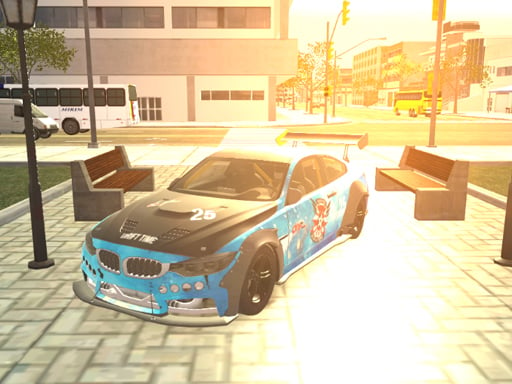
About 3D Master Race City Drift
3D Master Race City Drift puts you behind the wheel of high-performance sports cars in a single-player 3D driving simulator. Navigate urban courses while executing tight drifts, activating nitrous boosts, and maneuvering around pursuing police vehicles to post top drift scores across every completed level.
3D Master Race City Drift is a single-player 3D car driving simulator centered on controlled slides, speed management, and score chasing across city tracks. Players select from a lineup of 15 realistic sports car models and tackle courses while staying ahead of active police pursuit.
The game incorporates practical vehicle handling features including manual gear shifting, handbrake slides, nitrous boost injection, and a dedicated slow-motion mechanic to help guide sharp maneuvers. Drivers can also switch between three distinct camera perspectives or review completed runs with performance replays.
Your goal
Your primary goal is to complete each city course while accumulating the highest possible drift score. Maintain continuous sliding angles around corners, use boost and slow motion to avoid collisions or police interference, and cross the finish line to register your final performance score.
How to play 3D Master Race City Drift
1. Accelerate and steer your sports car through the city course using the arrow keys or WASD controls.
2. Engage the Spacebar handbrake or adjust steering angles to break traction and initiate controlled drifts around turns.
3. Shift gears up or down using Left Shift and Left Control, or select neutral with N when adjusting speed.
4. Trigger the F key for nitrous boost on straights and press G to enter slow motion for precise cornering.
5. Switch viewing perspectives using C and evade pursuing police cars until you cross the finish line.
Controls and device support
Arrow Keys / W, A, S, D: Steer and accelerate or reverse vehicle
Spacebar: Engage handbrake to initiate drifts
Left Shift: Shift gear up
Left Control: Shift gear down
N: Select neutral gear
F: Activate Nos boost
- Controls: Keyboard
- Device support: Browser
- Game frame: 960 x 600
Rules to keep in mind
- You must complete each level run while staying ahead of pursuing police vehicles active on the track.
- Drift scores accumulate during sliding maneuvers and are finalized once you reach the end of the level.
- Players can freely switch between three camera viewpoints: driver POV, rear POV, and cinematic perspective.
What makes the challenge interesting
Gameplay revolves around maintaining balance between raw speed and vehicle control. Entering turns requires proper entry speed, where tapping the handbrake breaks grip and counter-steering stabilizes the drift trajectory.
The slow-motion feature grants temporary tactical control, allowing drivers to make micro-adjustments during complex turns or when escaping police vehicles. Combining nitrous boosts on straight sections with smooth cornering lines ensures strong drift scoring across every single-player run.
Tips for 3D Master Race City Drift
- Tap the handbrake briefly rather than holding it down so you maintain sufficient forward momentum through wide cornering arcs.
- Activate slow motion with G whenever entering sharp turns to fine-tune your steering angle before police cars close in.
- Reserve your nitrous boost for straightaways immediately following a corner exit to regain top speed quickly without spinning out.
- Cycle between the rear and driver camera angles using C to find the perspective that gives you the clearest view of apexes.
Stages and progression
Completing level runs and earning top drift scores allows players to access up to 15 different sports cars, including models based on iconic performance vehicles, alongside new city track layouts.
Playing on different devices
This WebGL title runs directly in standard desktop web browsers at a native display resolution of 960 by 600 pixels, requiring full keyboard input for shifting, boosting, and camera toggles.
The skills behind the game
As an action and 3D driving title, 3D Master Race City Drift emphasizes high-speed urban navigation and reactive vehicle control. The addition of police pursuit adds continuous pressure, requiring drivers to balance aggressive drifting lines with evasive maneuvers across city streets.
Who will enjoy this game
Players searching for a dedicated drifting game or an engaging action game online will find focused mechanics in 3D Master Race City Drift, combining manual gear management, Nos boosts, and multiple camera views in a lightweight browser package.
Games with a similar feel
Asphalt: Like Asphalt, this title focuses on fast-paced arcade driving with nitrous boosting, but 3D Master Race City Drift emphasizes technical manual drifting, slow-motion control, and police evasion on city circuits.
Need for Speed: Sharing the urban racing and police pursuit theme of Need for Speed, 3D Master Race City Drift delivers an accessible browser-based drift simulator with distinct camera views and instant replay features.
Frequently asked questions
How many cars are available in 3D Master Race City Drift? The game features 15 sports car models inspired by popular performance vehicles like the GTR, Supra, M4, Evo, and Viper, which players can access across their runs.
How do you activate slow motion during a race? You can activate the slow-motion feature at any time by pressing the G key on your keyboard to gain extra precision during tricky drift sections.
Does the game include police chases? Yes, police cars pursue your vehicle during city track runs, requiring you to maintain high speeds and execute clean drifts to stay ahead.
Something not right?
Tell us if the game does not load, the information is wrong or the content needs review.
Report a problem ›