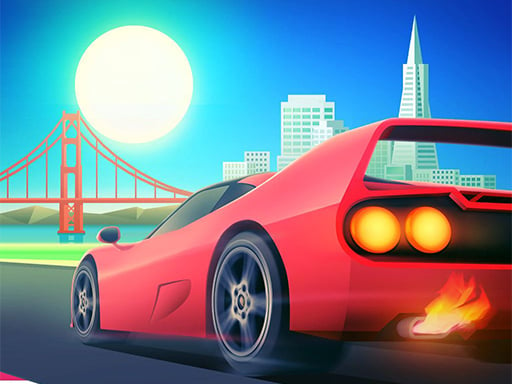
About 3D Car Rush
3D Car Rush is an arcade-style racing game where players take the wheel of fast cars to compete against rivals across city road traffic. By using responsive mouse swiping to steer left and right, you can navigate busy lanes and enjoy a fast-paced driving challenge built for quick, accessible browser gameplay sessions.
Designed as a top speed car driving experience, 3D Car Rush immerses players in vibrant 3D environments featuring city streets and open roads. The game focuses on competing against rival racers while maneuvering dynamic traffic lanes. Built around lightweight hypercasual mechanics, the gameplay loop prioritizes immediate action and reflex-based navigation over complex driving simulations. Players control their car's lateral movement using straightforward mouse inputs, sliding smoothly between road positions to avoid obstacles and outmaneuver competitors. The combination of classic arcade driving flow, city traffic hazards, and quick race pacing offers an engaging challenge for enthusiasts seeking direct, no-fuss car racing action directly in their web browser.
Your goal
The main goal in 3D Car Rush is to successfully steer your vehicle through city road traffic and outperform rival racers. By clicking and swiping your mouse to maneuver left and right, you must maintain top speed, dodge obstacles, and stay ahead of the competition across every stretch of highway to secure victory.
How to play 3D Car Rush
1. Launch the race and observe the road layout ahead to anticipate approaching traffic and rival vehicles.
2. Click and hold the left mouse button to initiate steering control over your car.
3. Swipe the mouse left or right to shift lanes smoothly across the road.
4. Weave through busy city traffic and rival cars to keep your vehicle moving without interruption.
Controls and device support
Click and swipe mouse: Move the car left or right
- Controls: Mouse or touch
- Device support: Browser
- Game frame: 1280 x 720
Rules to keep in mind
- Use mouse swipe controls to adjust your car's position horizontally across the roadway.
- Navigate city road traffic and rival racers to maintain race position and momentum.
What makes the challenge interesting
Gameplay in 3D Car Rush centers around rapid spatial awareness and smooth lane positioning. Because vehicles travel at top speeds along busy city roads, success depends on quick visual scanning and steady mouse tracking. Players must continuously evaluate incoming traffic patterns and the movements of rival racers, reacting with measured left-to-right swipes rather than erratic shifts. Maintaining a clean line through congested road sections allows drivers to sustain speed, prevent collisions, and edge out opponents during intense racing moments.
Tips for 3D Car Rush
- Keep your mouse movements steady and measured, as over-swiping across multiple lanes quickly can lead to collisions with unexpected traffic.
- Focus your vision several car lengths ahead of your vehicle so you have adequate time to spot opening lanes in city traffic.
- Anticipate rival driver positions early, making your lateral maneuvers before road congestion blocks your forward driving path.
The skills behind the game
As part of the racing and hypercasual arcade categories, 3D Car Rush emphasizes accessible vehicle control and immediate action. Unlike complex simulation titles that demand intricate gear management and manual braking, arcade car games focus on fast reflexes, fluid traffic navigation, and competitive rivalry along vibrant city roads.
Who will enjoy this game
Players searching for a 3d car rush game or an accessible racing game online will appreciate the direct pick-up-and-play design of 3D Car Rush. Its straightforward mouse swipe steering mechanics and 3D city road traffic provide instant arcade car driving excitement without requiring complex setup or lengthy downloads.
Games with a similar feel
Asphalt: Like Asphalt, 3D Car Rush delivers fast-paced car racing action featuring top speed vehicles. However, while Asphalt focuses on complex multi-tier stunt mechanics and extensive vehicle customization, 3D Car Rush offers a streamlined hypercasual experience centered around quick mouse-swiping lane maneuvers.
Need for Speed: Both 3D Car Rush and Need for Speed feature high-speed city racing against rival drivers. Need for Speed emphasizes in-depth vehicle handling and expansive open-world progression, whereas 3D Car Rush provides an instant, casual browser format focused on reflex-based traffic navigation.
Frequently asked questions
How do you steer your vehicle in 3D Car Rush? You steer by clicking and swiping your mouse left or right across the screen to switch lanes and avoid traffic.
What is the primary objective during a race? The objective is to navigate city road traffic and compete against rival cars to stay ahead and complete the run.
Is 3D Car Rush played on a desktop browser? Yes, the game is configured with 1280 by 720 dimensions and utilizes mouse-based click-and-swipe controls for desktop play.
Something not right?
Tell us if the game does not load, the information is wrong or the content needs review.
Report a problem ›