Official listing
Game description
This is the best and most realistic 3D bowling game on the Android phones. It is the only bowling game that fully embraces the incredible 3D physics engine and effects.
Sports game
3D Bowling brings the classic sports alley experience to your browser with simulated physics and crisp visual effects. Powered by 3D rendering, the game challenges players to line up their shots, control their release, and knock down pins across the lane. Whether you want a quick casual frame or steady target practice, mouse controls make launching the ball straightforward and accessible.
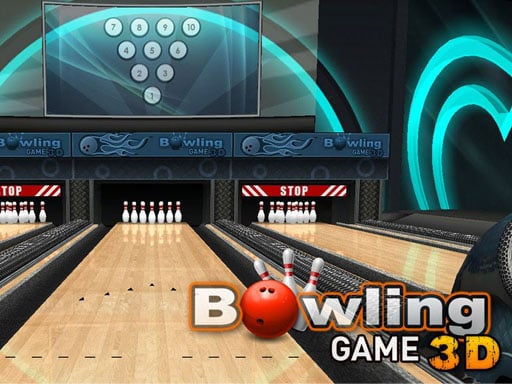
Choose Play now to load the game.
Official listing
This is the best and most realistic 3D bowling game on the Android phones. It is the only bowling game that fully embraces the incredible 3D physics engine and effects.
From the game listing
Mouse Controls
Open this card to load the gameplay video.
3D Bowling brings the classic sports alley experience to your browser with simulated physics and crisp visual effects. Powered by 3D rendering, the game challenges players to line up their shots, control their release, and knock down pins across the lane. Whether you want a quick casual frame or steady target practice, mouse controls make launching the ball straightforward and accessible.
3D Bowling centers on the familiar rhythm of traditional ten-pin bowling, placing you directly behind the approach line of a virtual lane. The core gameplay loop involves setting your starting position, deciding on an angle, and propelling the ball forward to collide with the pin cluster. The 3D physics engine dictates how the ball travels along the surface and how pins scatter on impact.
Because the presentation relies on dynamic physical reactions, every throw produces natural bounces, deflections, and pin-to-pin collisions. Players can experiment with different delivery speeds and subtle angles to observe how pins react. The uncluttered arcade layout keeps attention squarely on the lane, making it easy to jump in for repeated rounds of casual sports action.
The primary objective in 3D Bowling is to knock down as many pins as possible with each throw, aiming for clean strikes and consistent spares. Players focus on refining their aim, mastering smooth mouse releases, and finding the sweet spot in the pin formation to maximize pin carry and achieve higher overall match scores.
1. Load the game in your browser and observe the layout of the lane and pin formation.
2. Use your mouse to position the bowling ball across the starting line.
3. Align your target trajectory toward the central pocket of the pins.
4. Click and drag forward with the mouse to release the ball down the lane.
5. Watch the physics reaction as pins collide, then line up your next roll to pick up remaining pins.
3D Bowling uses direct mouse controls to position the ball, establish your aim, and flick or drag forward to execute your delivery down the lane.
The defining appeal of 3D Bowling lies in mastering the physical interaction between the rolling ball and the standing pins. Achieving a strike requires more than simply hitting the headpin dead center; players must find the optimal entry angle into the pocket to trigger cascading domino effects. The main mechanical tradeoff involves delivery speed versus directional precision: rolling too quickly may cause erratic deflections, while rolling too softly might leave stubborn corner pins upright.
In desktop web browsers, 3D Bowling operates using standard mouse inputs, allowing players to guide their aim and fling the ball smoothly. The game renders at an 800 by 600 frame, providing a clear viewing window of the lane dynamics and pin action across standard computer displays.
3D Bowling sits comfortably within the sports and arcade game categories. Unlike complex management simulations, arcade sports titles focus on immediate hands-on mechanics and satisfying physical feedback. The simplicity of aligning a shot and launching a ball offers timeless casual appeal for players who enjoy testing their coordination and precision without navigating complicated menus.
Players looking for a reliable 3d bowling game or a quick sports game online can use this title for accessible target practice. The streamlined design lets you jump directly onto the virtual alley, experiment with different throwing lines, and enjoy the visual satisfaction of tumbling pins during casual browser play.
How do you throw the ball in 3D Bowling? You control the throw using your mouse by positioning your ball, lining up the angle, and dragging forward to send the ball rolling down the lane.
What role does the 3D physics engine play? The integrated physics engine calculates realistic ball momentum, lane friction, and dynamic collisions when the ball contacts the pin deck.
Is 3D Bowling suitable for casual quick-play sessions? Yes, the straightforward mouse controls and quick setup make it an easy sports game to pick up for short practice frames whenever you have a few spare minutes.
Tell us if the game does not load, the information is wrong or the content needs review.
Report a problemExplore popular games by category, shared tags and site-wide activity.





















